
Start recording the show you keep talking about.
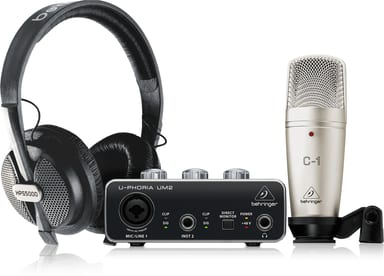
You have the idea and the voice; what is missing is the gear. U-PHORIA STUDIO is a recording and podcasting bundle with a USB audio interface, a condenser microphone and studio headphones.
From box to first take
Install any necessary drivers before you connect the interface. On Windows, it is important to install the necessary ASIO driver. Then connect the interface to your computer with the included USB cable. The microphone goes into the interface with the included XLR cable. Listen on headphones or a pair of powered speakers.
From recording to release
Record in the DAW of your choice, with your USB audio device selected for input and output. Export the finished episode as an MP3 if your DAW supports it, then upload it with podcast software.
