Check the mix before anyone else hears it.
The bass felt huge on your monitors and thin everywhere else. The vocal sat perfectly on headphones, then vanished on speakers. MONITOR2USB gives you more than one place to listen, and a fast way to move between them.
Three speaker groups, one VOLUME knob
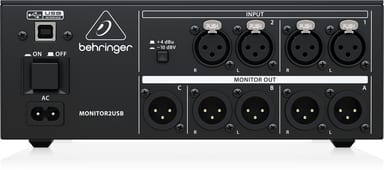
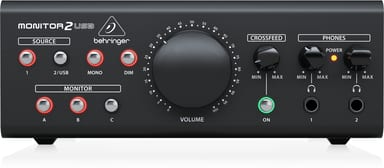
MONITOR OUT A and B each have left and right XLR outputs for a stereo pair of monitor speakers. Press the MONITOR buttons to compare your mix on both pairs. Group C has a single XLR output. Add one full-range speaker to check in mono, or a subwoofer for the extreme low frequencies. The MONO button folds the stereo image down to mono.
Headphone mixes that hold up on speakers
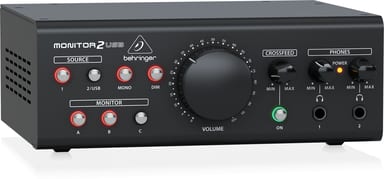
PHONES 1 and PHONES 2 take ¼" TRS headphones, each with its own volume knob. Press CROSSFEED ON, and the CROSSFEED knob blends left and right. It simulates monitor speakers in an open room. Your headphone mixes then more closely match the mixes you make on monitors.
Your mixer, a CD player or the computer
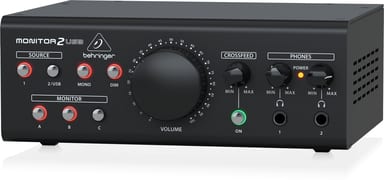
INPUT 1 takes balanced XLR at +4 dBu for pro audio gear. INPUT 2 switches between +4 dBu and -10 dBV for a CD or DVD player, so levels match more easily. The SOURCE 2/USB button brings in your computer over class-compliant USB, with no special drivers. DIM drops the listening volume by about 15 dB.