Run the session from one volume control.
The singer is in the headphones and the track plays on your main speakers. Now you want to hear it on a second pair. STUDIO L sits on the desk between your computer, your monitors and your performer. Switching, listening and talking all happen in one place.
Two pairs of monitors, one VOLUME control
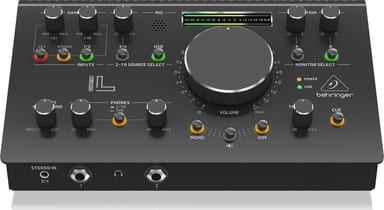
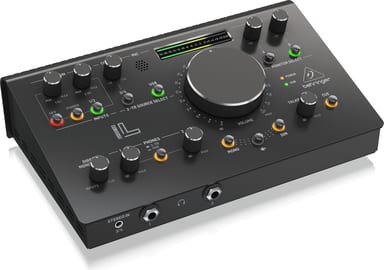
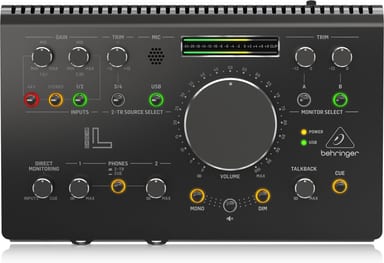
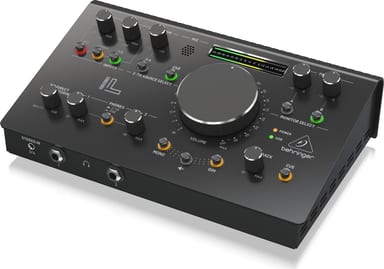
Connect your main monitors to MONITOR A and a second pair to MONITOR B. Select either on the top panel. Each output has its own trim from -12 dB to 0 dB. The VOLUME control is a stereo tracking VCA. MONO folds the stereo signal to mono, and DIM lowers the speakers by 20 dB.
Talk to the performer without leaving your chair
Press TO CUE and speak into the built-in TALKBACK mic: your voice goes to the cue bus. On STUDIO L, PHONES 2TR/CUE feeds that cue to both headphone outputs. Each headphone output has its own level. INPUTS/CUE blends the live inputs with the cue bus for direct monitoring.
Record two mics at up to 192 kHz
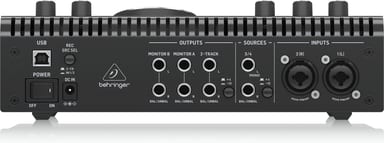
Inputs 1 and 2 are XLR/TRS combo connectors with Midas-designed preamps and 48 V phantom power. Press REC SRC SEL on the back to record them into your DAW over USB. Recording runs at 24-bit, up to 192 kHz. Set the button to 2-TR mode to record the 2-track output, a combination of all sources.