For the person who runs sound for everyone else.
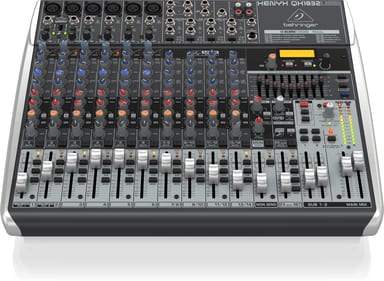
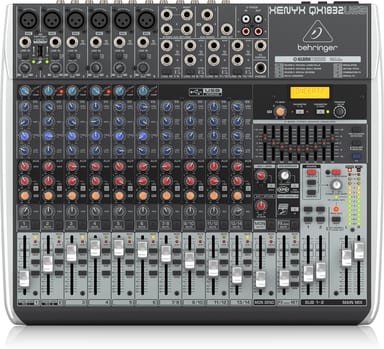
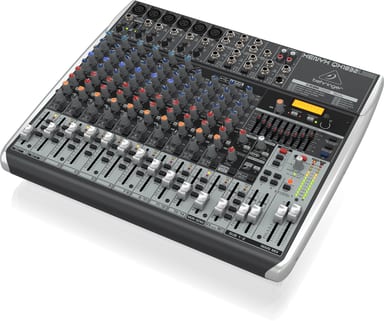
The band is setting up, the singers want monitors, and someone has to make it all work. The guide shows this mixer with a band or small church running stage monitors, and in a project studio. Six XENYX mic preamps take the microphones. The COMP knob sets the amount of compression on a channel.
Monitor mixes the stage can hear
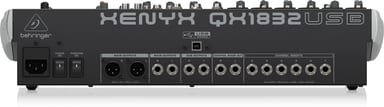
A channel's MON knob feeds the MON SEND/OUT jack, and the MON SEND fader sets the monitor level. On this model, AUX 1 adds another send: press PRE to use it as an extra monitor mix. SUB 1-2 faders set the output of the SUB OUTPUT jacks.
When feedback starts
Press EQ IN and FBQ FEEDBACK DETECTION. The MAIN MIX/MONITOR button assigns the graphic EQ to the mains or the monitor speakers. LOW CUT removes unwanted low frequencies from a channel.
Shape each voice
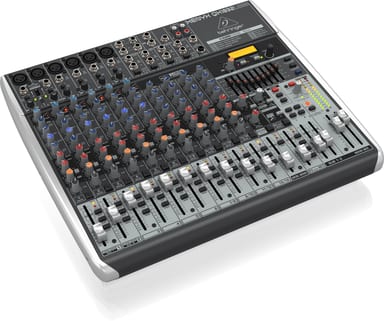
Adjust the FREQ knob to pick the mid frequency, from 100 Hz to 8 kHz. Turn up a channel's FX knob to add the Klark Teknik multi-FX processor.
Wireless mics and a computer
Its USB wireless input handles 2 independent Behringer ULM mics. USB audio runs stereo in and out at 48 kHz.